Give every inbox the right workload.
Judge every inbox by your rules, rest the ones that slip, and bring them back when they recover. Sending volume follows evidence.
Explore sample Invite-only · Sample data in preview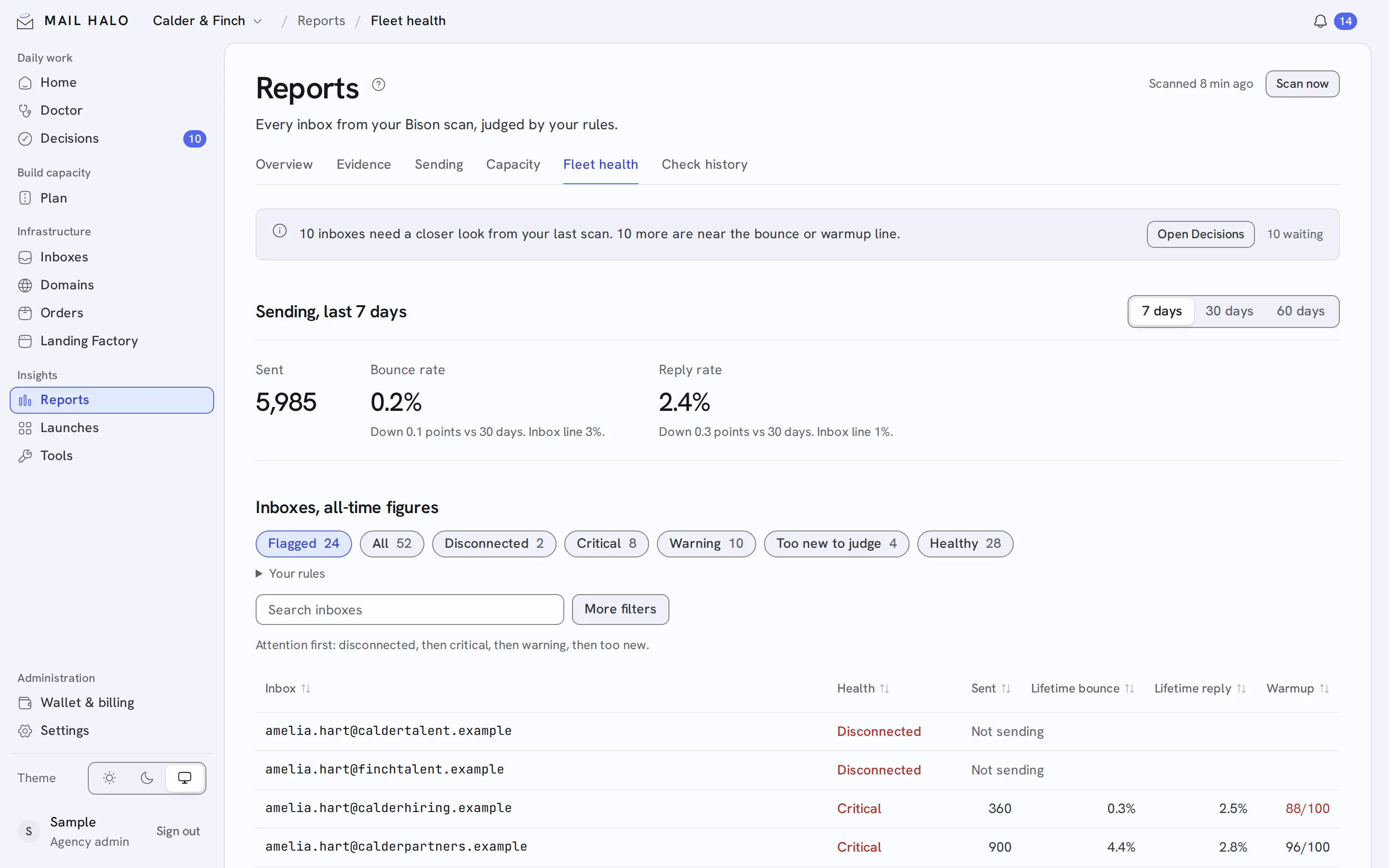
An inbox can look healthy while its recent results are getting worse.
Every night Mail Halo rescans each inbox’s bounces, replies, warmup score, authentication and blocklist signals. Google, Microsoft 365, Azure and SMTP inboxes are each judged by their own rules.
Check nightly
Rescan every connected EmailBison workspace once a day and judge each inbox against its provider’s rules.
Rest and recover
Rest an inbox or domain after trouble, keep it warming, and bring it back on its own once it recovers.
Rotate in batches
Swap batches of inboxes on a schedule, every 14 days by default, with warm reserve ready to step in.
A clear verdict for every inbox.
- Healthy
- Sending within your rules.
- Warning
- A signal has slipped, such as bounces passing 1%.
- Critical
- Failing your rules, such as bounces past 3%.
- Disconnected
- No longer connected in EmailBison.
- Too new to judge
- Not enough sending yet for a verdict.
- Resting
- Off cold sending while warmup continues.